


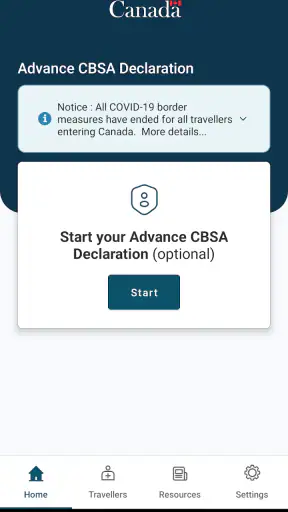
Crossing into Canada can involve a surprisingly awkward gap between having the right travel documents and having the right information ready at the border. ArriveCAN is designed for that specific moment: it gives incoming travellers a digital place to submit the information required for their arrival. I found it most useful when treated as part of the travel checklist rather than as a general-purpose trip planner.
That distinction matters. This is not an app for finding hotels, checking flight prices, building an itinerary, or storing every document connected with a holiday. It belongs to the Travel & Local category and has a narrow job. When that job applies to your trip, the focus is helpful. When you want a complete travel companion, the limited scope becomes obvious very quickly.
The app is free, carries an Everyone age rating, and comes from CBSA-ASFC. Its strong store reception—an average of 4.9 from around 176 thousand ratings—suggests that many travellers find the process dependable enough for an official arrival task. More than 5 million installs also make it a familiar name for people preparing to enter Canada, although popularity should not replace checking the current requirements for your own journey.
From travel preparation to arrival information
Begin with the situation that actually needs ArriveCAN
The best time to open the app is before the final rush at the airport, station, or border crossing. I would start by confirming that the trip involves entering Canada and that the information being requested applies to the traveller’s circumstances. That first check prevents a common mistake: downloading an official-looking app simply because it appears in a search, without understanding whether its process is relevant to the journey.
Once the app is relevant, I would keep the passport or other travel documents nearby and make sure the basic trip details are easy to read. The practical advantage is not that ArriveCAN replaces those documents. It is that the app helps place the required arrival information into a digital submission before the handoff to Canadian border processing.
That makes it especially useful for people who dislike filling out forms while standing in a queue. It also helps families divide the preparation work. One person can gather the travel details while another checks that each traveller’s information is entered correctly. I would still review every screen myself before submitting, particularly when several people are travelling together.
The entry process is simple in concept, but accuracy matters
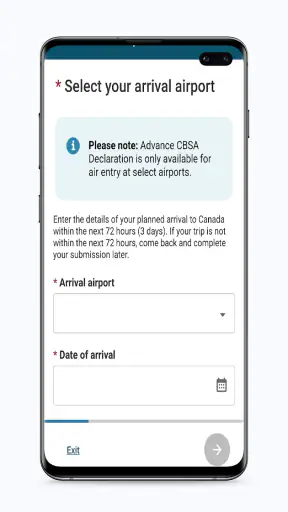
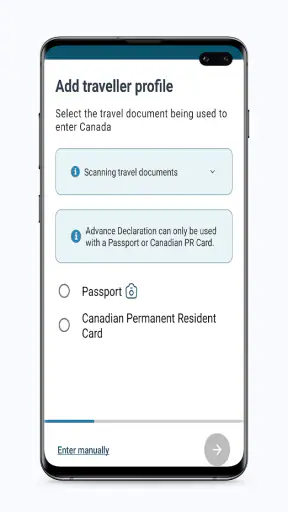
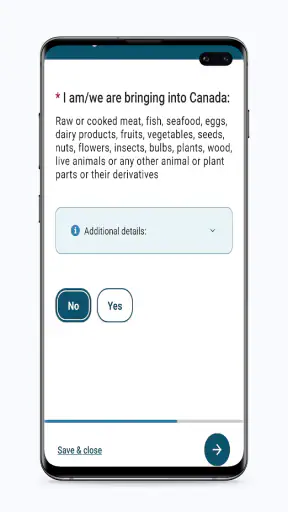
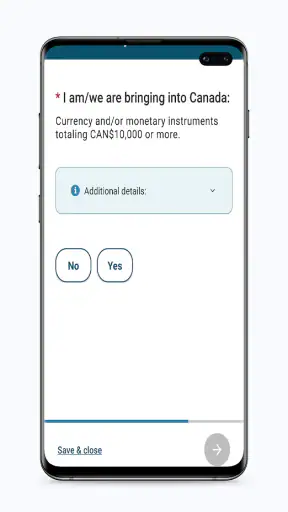
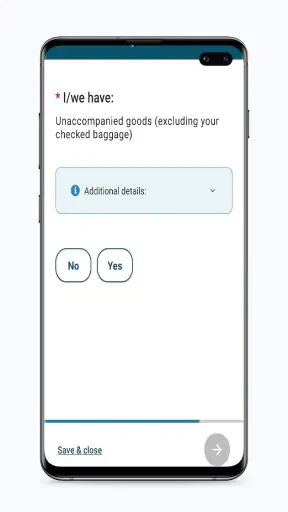
The central workflow is straightforward: open the app, provide the requested information, review it, and submit it for the arrival process. The important part is not speed; it is matching the entries to the traveller and the actual crossing. A small error in a name, document detail, or trip selection can create uncertainty at precisely the point when you want the handoff to be uneventful.
I recommend treating the form like a document rather than a casual questionnaire. Read each prompt completely, avoid guessing, and stop if the information on screen does not match the circumstances of the trip. The app can organize the submission, but it cannot make an incorrect answer correct. This is one of the less obvious trade-offs: the digital format feels convenient, yet it can encourage people to tap through too quickly.
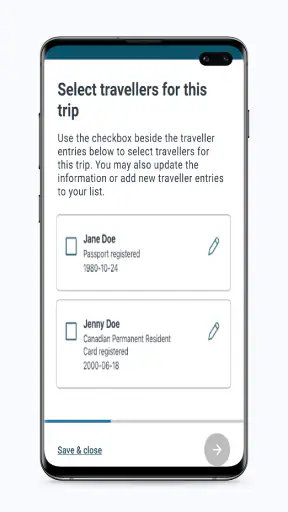
For a solo traveller, the process is easier to control because there is one identity and one set of answers to check. For a family or group, the benefit of a shared preparation routine is greater, but so is the chance of mixing up details. I would complete one traveller carefully, verify it, and only then move to the next rather than entering everyone’s information in a hurried batch.
Use the review stage as a deliberate pause
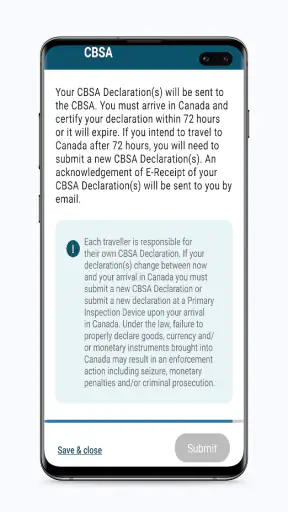
The review step deserves more attention than it usually receives. Before sending anything, I would compare the information in the app with the actual travel documents and itinerary. This is also the moment to check whether the selected arrival details make sense. If plans change later, I would not assume that an earlier submission automatically reflects the new situation; I would reopen the app and follow the available process for the changed trip.
This is a useful habit for people travelling on flexible tickets or making a last-minute connection change. The app is most reliable as a current snapshot of the arrival information, not as a permanent record that can be ignored after the first submission. Keeping that mental model avoids one of the easiest ways to create friction: preparing the form for one plan and then arriving with another.
Another practical tip is to avoid leaving the entire task until the moment connectivity, battery life, or attention is at its worst. An airport queue is a poor workspace for careful data entry. Completing the form in a calm place gives you time to read the prompts and notice inconsistencies. I would also keep the phone charged and retain access to the relevant travel documents until the arrival process is finished.
What happens at the handoff
ArriveCAN’s value is clearest at the handoff between the traveller and the Canadian arrival process. The app collects and submits information; it does not turn the phone into a border officer, guarantee entry, or replace the checks carried out by the authorities. After submitting, I would regard the app as one prepared part of the crossing, alongside the required travel documents and any instructions given during the journey.
That boundary is important for expectations. Someone may complete the digital step correctly and still need to answer questions or present documents in person. The app reduces one kind of preparation friction, but it does not remove the human part of border processing. In my view, this is a strength rather than a weakness when understood properly: the app has a defined role instead of pretending to manage the entire arrival experience.
For a group, the handoff can be slightly more complicated. The person who prepared the information may not be the person answering questions at the border, so everyone should know what was submitted and where the relevant confirmation or status can be found in the app. I would not rely on one traveller being the only person who understands the submission, especially if phones are separated, batteries run low, or the group is processed in stages.
This is also where ArriveCAN differs from ordinary travel apps. A flight tracker can tell you whether a plane is late, and a notes app can hold a checklist, but neither is built around submitting arrival information to the Canadian process. Conversely, those general apps are better for planning, reminders, reservations, and offline reference material. ArriveCAN is more specialized, and its usefulness depends on that specialization.
A realistic airport scenario
Imagine I am travelling to Canada with a partner after a long flight. Before leaving home, I open the app with both passports and the itinerary beside me. I enter the requested details carefully, pause to compare the entries with the documents, and submit while I still have time and battery. My partner knows what was entered and keeps their own documents ready.
At the airport, I do not need to reconstruct the form from memory while people are moving through the queue. If the itinerary changes before departure, I revisit the information instead of assuming the earlier submission is still suitable. On arrival, I treat the app as supporting the official process, not as permission to skip document checks or questions.
The outcome is modest but meaningful: one administrative task is handled before the busiest part of the journey. That can reduce mental load, particularly after a tiring trip. It does not make the border crossing automatic, and it does not solve every possible travel problem, but it can prevent the arrival form from becoming an improvised job at the last minute.
Where the workflow can break
The first weak point is relevance. Travellers who are not entering Canada, or whose particular situation does not call for this submission, may gain little from installing it. I would not recommend it as a permanent travel utility for someone who mainly wants maps, restaurant suggestions, boarding passes, or itinerary management. A conventional travel organizer is a better choice for those needs.
The second weak point is changing information. A cancelled flight, a different crossing, a new travel companion, or an accidental mistake can make an earlier form less useful. The app can only work with what has been entered. My advice is to revisit the submission whenever the plan materially changes, rather than treating completion as a one-time box to tick forever.
The third is shared-device dependence. If one person completes the process for several travellers, that person becomes the informal administrator of the group’s information. This is convenient, but it creates a communication risk. Before departure, I would tell the other travellers what has been done and make sure they still carry their own documents. Digital preparation should simplify coordination, not replace it.
There is also a human-computer interaction issue: official forms can feel more intimidating than consumer apps. ArriveCAN’s focused purpose helps, but users may still hesitate when a prompt is unfamiliar. The safest response is not to guess or rush. Read the wording, use the information from the relevant documents, and seek official clarification when the situation falls outside the ordinary journey you are preparing.
Another limitation is that the app cannot compensate for poor travel organization around it. If your passport is inaccessible, your phone is nearly empty, or your itinerary is scattered across messages, the digital form will not magically assemble everything. I get the best result when I prepare a small travel folder first, then use ArriveCAN for the specific arrival submission rather than expecting it to become the folder itself.
Version, device support, and everyday practicality
The current version is 3.6.13, and the listed minimum operating system is Android 7.0. That makes the app accessible on many older Android devices, which is useful for travellers who do not replace their phone frequently. Even so, I would update the app before a major trip when an update is available and test that it opens normally. A last-minute installation is a poor time to discover that an old device needs attention.
Because the app handles a travel step rather than entertainment, I value predictability more than visual extras. Its free price removes one barrier to preparation, while the Everyone rating makes it suitable for a broad audience. Parents, older travellers, and people who are less comfortable with digital forms can still benefit, but they may appreciate having a second person sit with them during the first submission.
I would also separate app readiness from border readiness. Installing it is not the same as completing the process, and completing the process is not the same as carrying the documents needed for entry. Keeping those three tasks distinct is a small but powerful workflow improvement. It prevents the false confidence that can come from seeing an app installed and assuming the trip is administratively finished.
Who should use it and who should choose something else
I recommend ArriveCAN to travellers whose Canadian arrival requires the information it is built to collect, especially those who prefer to handle paperwork at home rather than in a queue. It is also a sensible choice for families who want a structured way to prepare before travel, provided one person checks every entry and communicates the result to the group.
I would be less enthusiastic for someone looking for a broad travel companion. If your main concern is airport navigation, hotel reservations, translation, currency conversion, or a day-by-day itinerary, another app will serve you better. ArriveCAN is not a replacement for those tools, and trying to use it as one will make it seem unnecessarily limited.
It is also not the right answer for a traveller who wants to avoid reading official instructions. The app provides a digital route through the required information, but it does not remove the responsibility to understand what is being submitted. People with unusual travel circumstances should be particularly careful and should not infer that a completed screen settles questions the app was not designed to answer.
My conclusion after following the complete workflow
ArriveCAN succeeds because it concentrates on a real point of travel friction: preparing information for entry into Canada before the handoff to border processing. I like the way that focus can turn a rushed queue-side task into something I can complete calmly, check against my documents, and keep organized for the journey.
Its limitations are equally clear. It does not replace travel documents, personal answers, official decisions, or a broader itinerary app. The process can become fragile when plans change, several travellers share one phone, or someone taps through unfamiliar questions without checking them. Those are not reasons to dismiss it; they are reasons to use it deliberately.
With over 1,400 listed reviews and a broad base of travellers using it, the app has become a recognizable part of Canada-bound preparation. My recommendation is simple: install it only when its arrival workflow applies, complete it before the journey becomes hectic, verify every traveller separately, and keep the rest of your travel documents close. Used that way, ArriveCAN is a practical preparation tool, not a complete travel solution, and that is exactly where it offers the most value.


